🍂 Fall Sale — 30% off all templates! Use code FALL30 at checkout
Milestone Tracker
Description
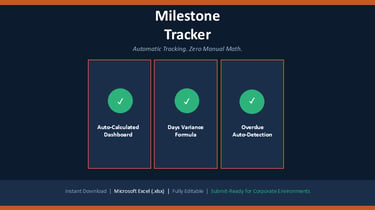
Stop manually counting which milestones are done and which are slipping. This Milestone Tracker Template for Microsoft Excel gives you an automated dashboard that calculates completion percentage, overdue items, and schedule variance the moment you update a date or status — built from real Fortune 500 enterprise experience.
What You Get
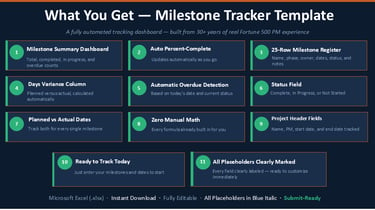
• Auto-calculated Milestone Summary dashboard — total, completed, in progress, not • • started, and overdue counts
• Automatic percent-complete calculation that updates as you go
• 25-row milestone register — number, name, phase, owner, planned date, actual date, status, and notes
• Automatic Days Variance column comparing planned to actual completion
• Automatic overdue detection based on today's date and current status
Benefits
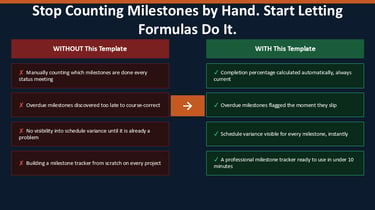
• Know your project's true completion percentage without manual counting
• Spot overdue milestones automatically instead of discovering them too late
• See planned-versus-actual variance for every milestone at a glance
• Save time with formulas that do the math for you
• Present a polished, data-backed milestone view to leadership
Who This Is For
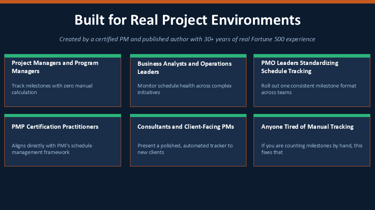
• Project Managers and Program Managers
• PMP certification practitioners
• Business Analysts and Operations Leaders
• Consultants and Client-Facing PMs
• PMO leaders standardizing milestone tracking
• Anyone tired of manually calculating schedule status
File Format
• 1 fully editable Microsoft Excel (.xlsx) file
• Instant digital download — file available immediately after purchase
• Compatible with Microsoft Excel 2016 and later
• No special software required beyond Microsoft Excel
Also available from Go Learning Academy: From Chaos to Taking Control: Task Management for People Who Hate Complicated Systems — available on Amazon. https://www.amazon.com/dp/B0G2TLHKDX


$4.99
© 2026 Go Learning Academy. All rights reserved.