🍂 Fall Sale — 30% off all templates! Use code FALL30 at checkout
Project Closure Report
Description
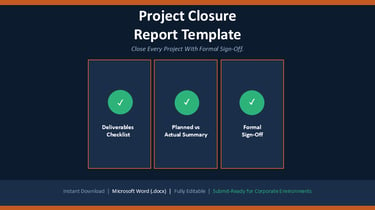
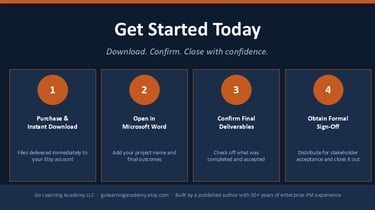
A project isn't truly finished until it's formally closed. This Project Closure Report Template for Microsoft Word gives you a structured way to confirm deliverables were met, document final outcomes, and obtain formal sign-off — built from real Fortune 500 enterprise experience.
What You Get
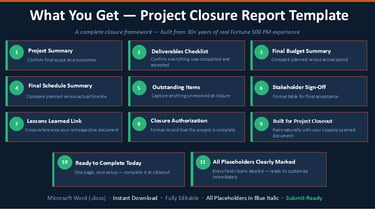
• Project Summary section confirming scope and final outcomes
• Deliverables Checklist confirming what was completed and accepted
• Final Budget Summary comparing planned versus actual spend
• Final Schedule Summary comparing planned versus actual timeline
• Outstanding Items section for anything not fully resolved at closure
• Stakeholder Sign-Off table for formal acceptance
• Lessons Learned cross-reference section
• Formal Project Closure Authorization
Benefits
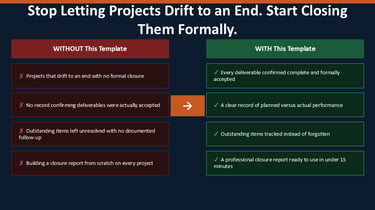
Confirm every deliverable was actually completed and accepted
Create a clear record comparing planned versus actual performance
Capture outstanding items so nothing falls through the cracks
Obtain formal sign-off that protects you and the project
Demonstrate disciplined project closure to leadership
Who This Is For
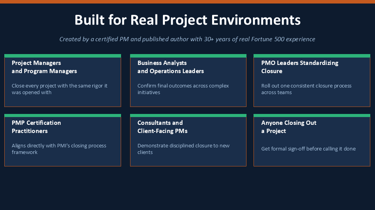
• Project Managers and Program Managers
• PMP certification practitioners
• Consultants and Business Analysts
• Operations and Functional Leaders
• PMO leaders standardizing closure practices
• Anyone formally closing out a project
File Format
• 1 fully editable Microsoft Word (.docx) file
• Instant digital download — file available immediately after purchase
• Compatible with Microsoft Word 2016 and later
• No special software required beyond Microsoft Word
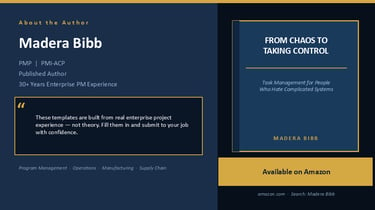
Also available from Go Learning Academy: From Chaos to Taking Control: Task Management for People Who Hate Complicated Systems — available on Amazon. https://www.amazon.com/dp/B0G2TLHKDX

$3.99
© 2026 Go Learning Academy. All rights reserved.